When your inspections are being completed by competent people across multiple locations, the risk isn't simply “are the inspections being completed” - It's a mixture of:
Inspections are completed, but not always on time
Reports exist, but they aren’t consistent
Reports get saved “somewhere”, and head office can’t find them without chasing
Nobody has a clear, live view of what’s in date, overdue, or failed
This is where health and safety control turns into an admin problem.
So how do you resolve this?
1 - Standardise inspection reporting
2 – Create operational visibility across every project
Standardise the recording of inspections before you standardise anything else
Yes, there is a requirement to have different inspection questionnaires to meet the standards for different types of scaffold towers and manufactures. But there needs to be consistency so that mandatory fields are completed so that reports meet compliance regs and so records can be compared, audited, and reviewed centrally.
The admin traps that cause inspection records to diverge
Here are some of the ways that inspection reporting can drift across multiple sites:
Different naming convention
"Tower 1", "T1", "Access Tower"
Site language is local and practical but it isn’t repeatable across projects, and it changes when people move between areas.
Missing Timestamps
Date but no time or vice versa
People rush, forms don’t force completion, and “date is enough” feels reasonable in the moment.Vague location fields
"on site", "warehouse", "level 2"
Sites change quickly. People assume others know where it is, or the form makes location feel optional.
Defects recorded without a clear outcome
Defects are noted, but the record doesn’t show whether it was fixed, isolated, escalated, or who owns the action.
The challenge is that these traps aren't caused by bad intent, they occur because a process relies on people being consistent and remembering the correct practices. The best approach is to build consistency into the workflow.
Minimum Fields
Different towers may require different inspection questions but the reporting data should be consistent everywhere. The fields below are the minimum standard that prevents records drifting across projects. In a manual process, these fields can be missed but must become enforced which is one way to reduce admin.
Asset & location
Tower ID (or unique reference)
Site / area / floor (location)
Project name / site code
Inspection proof
Date + time
Inspector name (and competence/training reference if your policy requires it)
Inspection type: after assembly / before use / after alteration / after event / routine interval
Outcome
Pass / fail (clear status)
Defects found (tick + short notes)
Action taken (fixed now / isolated / escalated)
Next inspection due
Why it matters
When these fields are consistent, reporting consistency increase. It also means head office can review the documentation quicker, making spotting missing fields easier.
The problem with “standardising on paper”
Paper questionnaires are a good starting point but then adding scale can change it.
Paper fails in two predictable ways:
You can’t enforce completion (missing fields become rework)
You can’t control questionnaire selection (people use the wrong variation, or don’t have it to hand)
Both create the same outcome: inconsistency, chasing, and weak evidence when someone needs answers quickly.
What you will get
Explore Inspect7® software
Key insights into the system
Get personalised answers
Live inspection demonstration
Book a demo to find out how you can take your inspections to the next level with Inspect7®.
Make inspection status visible without “phoning the site”
Most of the admin comes from one thing: lack of visibility for both the site team and head office.
There are three stake holders who are involved in the visibility of a scaffold tower inspection.
The first is anyone how needs to access the tower. They need to know that it is safe to use. If they don't know, they should halt operations and chase it.
The next is head office who needs to know that the inspection has been completed and access the report for auditing and compliance check. If they can can't find it then they will be chasing it.
Then it all comes down to the competent person on site who's job is to not only inspect the tower but then to also provide this report to both parties.
So to reduce the admin involved, there is a single requirement - Any scaffold tower in use must show an in-date inspection status at point of use, and head office must be able to view the same status centrally.
The reality: there is three workflows that can combat this.
Option A – Paper based inspection (traditional)
Tag on tower + paper record retained on site which must then be provided to Head office will require the chasing of reports and the competent person to scan and email reports with photo evidence. This is a good starting point, but this still relies on inspectors:
Remembering to submit records
Updating the inspection tag
Name things consistently
Storing reports correctly
Responding when head office asks
This can become painful at scale, especially when reports are across email threads, resulting in losing track quickly.
Option B - Shared tracker (quick win)
This method is similar to the paper reporting but instead of an email thread, it relies on one shared documentation to track inspections and location to store files such as a spreadsheet and in a file hosting service which gets updated daily or weekly. This reduces chaos quickly but still relies on manual updates and the process of scanning in files and photos.
Option C - Automated visibility + enforced standardisation (lowest admin)
In this workflow, inspection reporting becomes self‑updating: when an inspection is completed, the status and the report update centrally, with a timestamp and an audit trail. Head office and site teams can immediately see:
What’s in date
What’s overdue
What failed
What needs action
And the team who need access to the tower can see:
The tower has been inspected
If it is safe to use
When the next inspection is due
All without chasing
This is where Inspect7® fits. It is not a “new software for the sake of it”, but as the mechanism that makes standardisation repeatable across multiple projects without adding admin.
How Inspect7® supports standardisation (not just visibility)
Automated visibility is incredibly useful. But the real win is standardisation at the source.
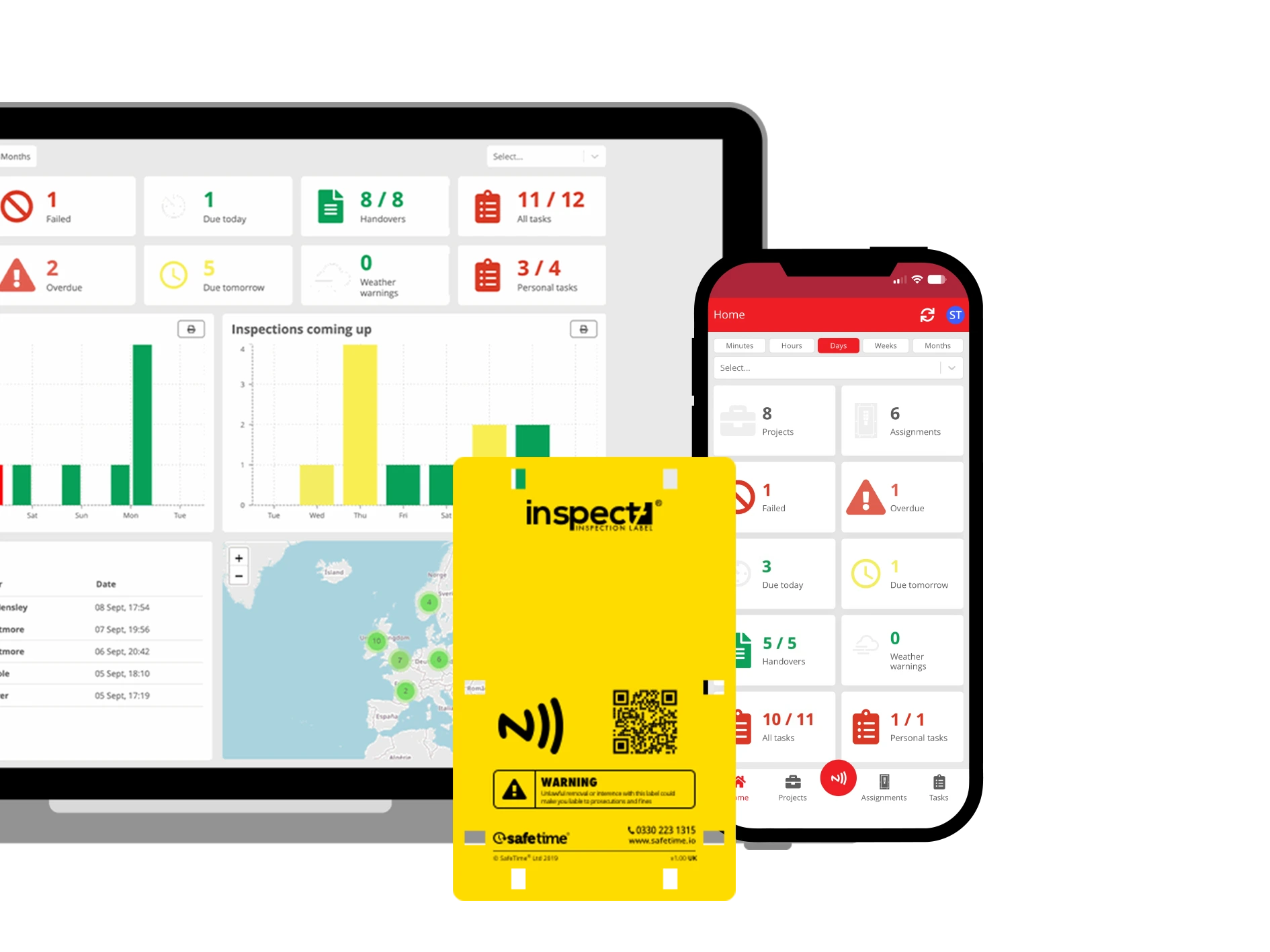
Inspect7® support this is three ways:
Mandatory Fields
Inspect7® can require key fields to be completed before an inspection can be submitted. That means your non‑negotiable data standard is enforced consistently across projects
Tailored questionnaires
Tower requirements vary. Inspect7® allows inspection questionnaires to be tailored to suit the tower type, manufacturer guidance, and your internal standards.
Tower identity via NFC inspection labels
Where paper systems often fall is asset identity: “Tower 1” at one site isn’t the same as “Tower 1” at another.
Inspect7® ties the inspection questionnaire to a specific tower via an NFC scan of the inspection tag creating a clear, traceable record linked to that asset.
Get Started With Inspect7® for Free
If you’re trying to improve visibility and reduce admin, the lowest‑risk way to validate the approach is to run it on one tower first.
Start with a free Inspect7® Foundation account and receive a FREE Label so you can carry out a real tower inspection and see the workflow in practice. Choose a vibrant image and write an inspiring paragraph about it. It does not have to be long, but it should reinforce your image.